Most business owners wouldn’t leave their shop unlocked overnight — yet that’s exactly what many do with their websites. Once the site is live, it’s easy to think the job is done. But in reality, that’s just the beginning.
Behind the scenes, your WordPress website is constantly at risk from outdated software, security vulnerabilities, plugin conflicts, and slow performance. And without regular maintenance, these silent issues can quickly turn into major problems — from broken pages to full-on site crashes. If your website is central to how you attract customers, make sales, or run your business, then keeping it secure and running smoothly isn’t optional — it’s essential. Protect your website.
The Hidden Risks of “Set and Forget”
It’s a common mindset: pay for a good-looking site, get it launched, and then move on to the next big thing. But unlike a printed brochure or static ad, a WordPress website is a living system. It relies on a combination of themes, plugins, databases, and third-party integrations — all of which need to be updated regularly.
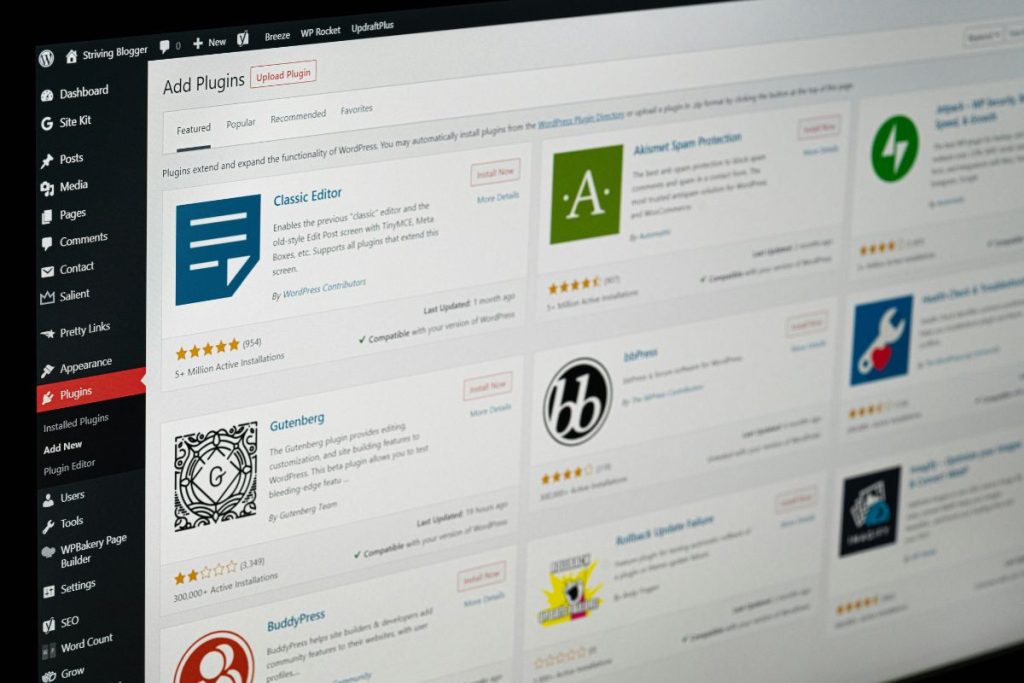
When these elements are neglected:
- Plugins can stop working (or clash with each other)
- Security holes can go unpatched
- Pages can slow down or fail to load properly
- Your site could even be taken offline by a preventable issue
It doesn’t take much. One outdated plugin or a missed WordPress update can be all it takes to bring your entire site down — and with it, your customer trust and conversions.
Why Speed and Security Matter More Than Ever

User expectations have changed. People expect websites to load fast, work perfectly on any device, and stay online 24/7. If your site is sluggish or buggy, visitors leave. If your site gets hacked or infected with malware, Google may even block it — and recovering from that reputation hit can take months.
This is especially critical for businesses that rely on online bookings, lead generation, or product sales. A single broken contact form or checkout page can quietly cost you leads and revenue.
Regular maintenance helps you catch issues before they become problems, will protect your website — and ensures your site keeps running as it should.
What Proper Website Maintenance Looks Like
Ongoing WordPress care isn’t just about clicking “Update” once a month. A professional approach includes:
Key tasks often covered:
- Weekly or daily backups
- Theme, plugin, and core WordPress updates
- Uptime monitoring and performance checks
- Malware scans and security hardening
- Fixing broken links and visual layout issues
- Technical support when something goes wrong
These behind-the-scenes tasks aren’t always visible — but they’re working to protect your investment, your brand, and your customers’ trust.
Peace of Mind for Busy Business Owners
If you’re running a business, you probably don’t have time to keep track of plugin compatibility or debug website errors. That’s why many companies now rely on a WordPress maintenance service to keep their site secure, fast, and functional.
Outsourcing this part of your digital presence means fewer distractions, fewer emergencies, and more time to focus on growing your business — not fixing your website.
Final Thoughts
Your website is one of the most valuable tools your business has — and like any tool, it needs regular upkeep to perform at its best.
If you’ve already invested in building a professional site, make sure it stays that way. With the right maintenance, your website can continue to do what it was designed to do: attract, engage, and convert your ideal customers — without the stress of things going wrong behind the scenes. Protect your website!
Images courtesy of unsplash.com and pexels.com